Pumps not responding to commands (i.e. not turning on)

Hi all,

I’m currently trying to set up an eVOLVER. I have been able to complete temperature and OD calibrations, but I cannot seem to get the pumps to respond to any commands. I have tried starting the pumps from the pump calibration file, sending pump commands from the GUI on our laptop, and sending them directly from the touchscreen on the vial platform, and the pumps do not turn on for any of the 3. I attached a picture of what shows when I try to send a command to IN1 on all vials for 10 seconds.

Is this an issue with the serial communications cable between the vial platform and the pump array? I see that the eVOLVER sends the command for “undefineds” instead of specifying an amount of time, could there be an issue with this part of the command? Or is there something else I should do to fix this issue? Thank you all so much for your help!

Hi Peter,

Make sure that your pump box is plugged in correctly and on as shown in the unboxing and setup page.

In fact, it would be helpful to send a pic of the back of your pump box and eVOLVER base.

Hey Nate,

I just double-checked the setup page and I believe I have all the cables connected correctly. Here is a picture:

I normally have the ethernet cable plugged into the platform too, but I had to remove it to turn the machine around and take the picture. Do you notice anything off about our machine? Thank you!

Can you try opening the fluidics box to make sure all the PCBs are snug in each socket. Some boards may come loose during shipment

Hi again,

I tried opening the fluidics box today and tightening the PCBs and looking for any loose components in the machine. Here is a picture of the inside of the fluidics module:

I can’t see any loose parts, unless I am missing something. Any suggestions? Thanks!

Just to be clear, the fluidics box is also switched to ON (the rocker switch in the front of the box) when trying to actuate the pumps?

Yes, the fluidics box is switched on when I’m trying to actuate the pumps.

Can I ask you to do two things to debug whats going on?

Can you output what the log files show on the eVOLVER? To do this, can you ssh into the pi using these instructions and copy and paste what is shown after a fluidic command is sent?

Go to Terminal (on your computer) and type in ssh pi@<evolver ip address>, for example, our evolver is 192.168.1.2 so we would put ssh pi@192.168.1.2 The password is DbLaoXDr

Can you post a screenshot of the server log as you run the fluidic pumps from the GUI? You can access this by ssh’ing to the RPi and running sudo supervisorctl then tail -f evolver

The fluidic command should look something like:
pumpi,2|4,10,–,–,–,–,–,–,–,–,–,–,–,–,–,–,3|4,15,–,–,–,–,–,–,–,–,–,–,–,–,–,–,–,–,–,–,–,–,–,–,–,–,–,–,–,–,–,–,_!

———————-

Can you also ssh into the pi using these instructions and copy and paste what is in the conf.yml file? Thanks.

  1. Go to Terminal and type in ssh pi@<evolver ip address>, for example, our evolver is 192.168.1.2 so we would put ssh pi@192.168.1.2 The password is DbLaoXDr

  2. Type the following: nano evolver/evolver/conf.yml

  3. Copy and paste what is listed there to this thread.

Hi again,

Here are those two things:

  1. Output log files on the eVOLVER as I try to run the pumps from the GUI. (I sent a command for INF(1) for all 16 vials to run for 5 seconds.)

  1. Contents of conf.yml file
acknowledge_char: a

broadcast_timing: 20

calibration: calibration.json

calibrations_directory: calibrations

data_response_char: b

device: evolver-config.json

echo_response_char: e

evolver_ip: 128.119.128.140

experimental_params:

  lxml:

    fields_expected_incoming: 17

    fields_expected_outgoing: 17

    recurring: false

    value: ['4095', '4095', '4095', '4095', '4095', '4095', '4095', '4095', '4095',

      '4095', '4095', '4095', '4095', '4095', '4095', '4095']

  od_135: {fields_expected_incoming: 17, fields_expected_outgoing: 2, recurring: true,

    value: '1000'}

  od_90: {fields_expected_incoming: 17, fields_expected_outgoing: 2, recurring: true,

    value: '1000'}

  od_led:

    fields_expected_incoming: 17

    fields_expected_outgoing: 17

    recurring: true

    value: ['4095', '4095', '4095', '4095', '4095', '4095', '4095', '4095', '4095',

      '4095', '4095', '4095', '4095', '4095', '4095', '4095']

  pump:

    fields_expected_incoming: 49

    fields_expected_outgoing: 49

    recurring: false

    value: ['5', '5', '5', '5', '5', '5', '5', '5', '5', '5', '5', '5', '5', '5',

      '5', '5', --, --, --, --, --, --, --, --, --, --, --, --, --, --, --, --, --,

      --, --, --, --, --, --, --, --, --, --, --, --, --, --, --]

  stir:

    fields_expected_incoming: 17

    fields_expected_outgoing: 17

    recurring: true

    value: ['9', '9', '9', '9', '9', '9', '9', '9', '9', '9', '9', '9', '9', '9',

      '9', '9']

  temp:

    fields_expected_incoming: 17

    fields_expected_outgoing: 17

    recurring: true

    value: ['1640', '1632', '1635', '1651', '1644', '1642', '1634', '1642', '1636',

      '1636', '1640', '1640', '1640', '1631', '1637', '1624']

fitted_data_directory: fittedCal

    value: ['4095', '4095', '4095', '4095', '4095', '4095', '4095', '4095', '4095',

      '4095', '4095', '4095', '4095', '4095', '4095', '4095']

  pump:

    fields_expected_incoming: 49

    fields_expected_outgoing: 49

    recurring: false

    value: ['5', '5', '5', '5', '5', '5', '5', '5', '5', '5', '5', '5', '5', '5',

      '5', '5', --, --, --, --, --, --, --, --, --, --, --, --, --, --, --, --, --,

      --, --, --, --, --, --, --, --, --, --, --, --, --, --, --]

  stir:

    fields_expected_incoming: 17

    fields_expected_outgoing: 17

    recurring: true

    value: ['9', '9', '9', '9', '9', '9', '9', '9', '9', '9', '9', '9', '9', '9',

      '9', '9']

  temp:

    fields_expected_incoming: 17

    fields_expected_outgoing: 17

    recurring: true

    value: ['1640', '1632', '1635', '1651', '1644', '1642', '1634', '1642', '1636',

      '1636', '1640', '1640', '1640', '1631', '1637', '1624']

fitted_data_directory: fittedCal

immediate_command_char: i

num_sleeves: 16

od_calibration_directory: od

port: 8081

raw_data_directory: rawCal

recurring_command_char: r

serial_baudrate: 9600

serial_delay: 0.5

serial_end_incoming: end

serial_end_outgoing: _!

serial_port: /dev/ttyAMA0

serial_timeout: 1

temp_calibration_directory: temp

Thank you so much for your help!!

OK this tells me that the issue is the Serial communication to the board and power supply, etc should be OK. This really cause by one of three things: (1) the cable between the vial platform to the fluidics box, (2) the RS485 board, or (3) the Arduino code. To narrow this down can you do the following to read the Serial Output for the Arduino?

  • Connect all the power cables and wiring with the box lid open. Make sure both the eVOLVER vial platform is ON and connected. The only difference is the lid for the fluidics box might have to be take off.
  • Follow instructions here to install arduino IDE.
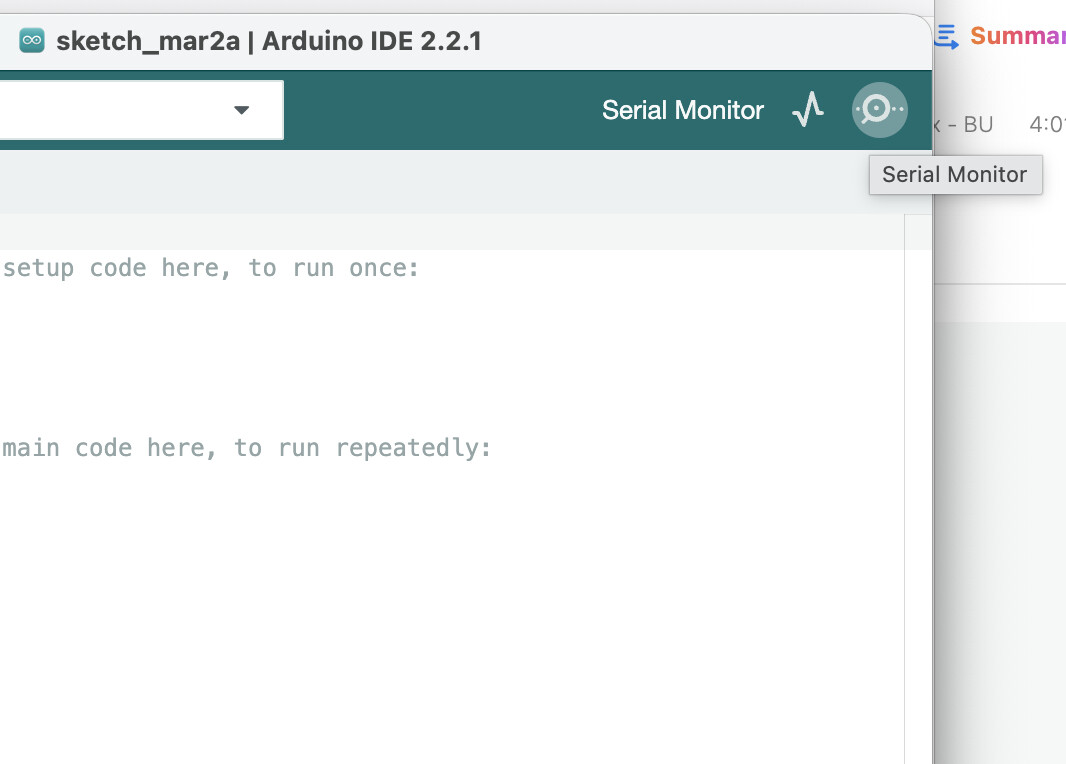
  • Connect the microUSB, select the Arduino, and click Serial Monitor to read the output of the Arduino.
  • Please report what you see when serial commands are send out (fluidic commands from the GUI).

Hi again,

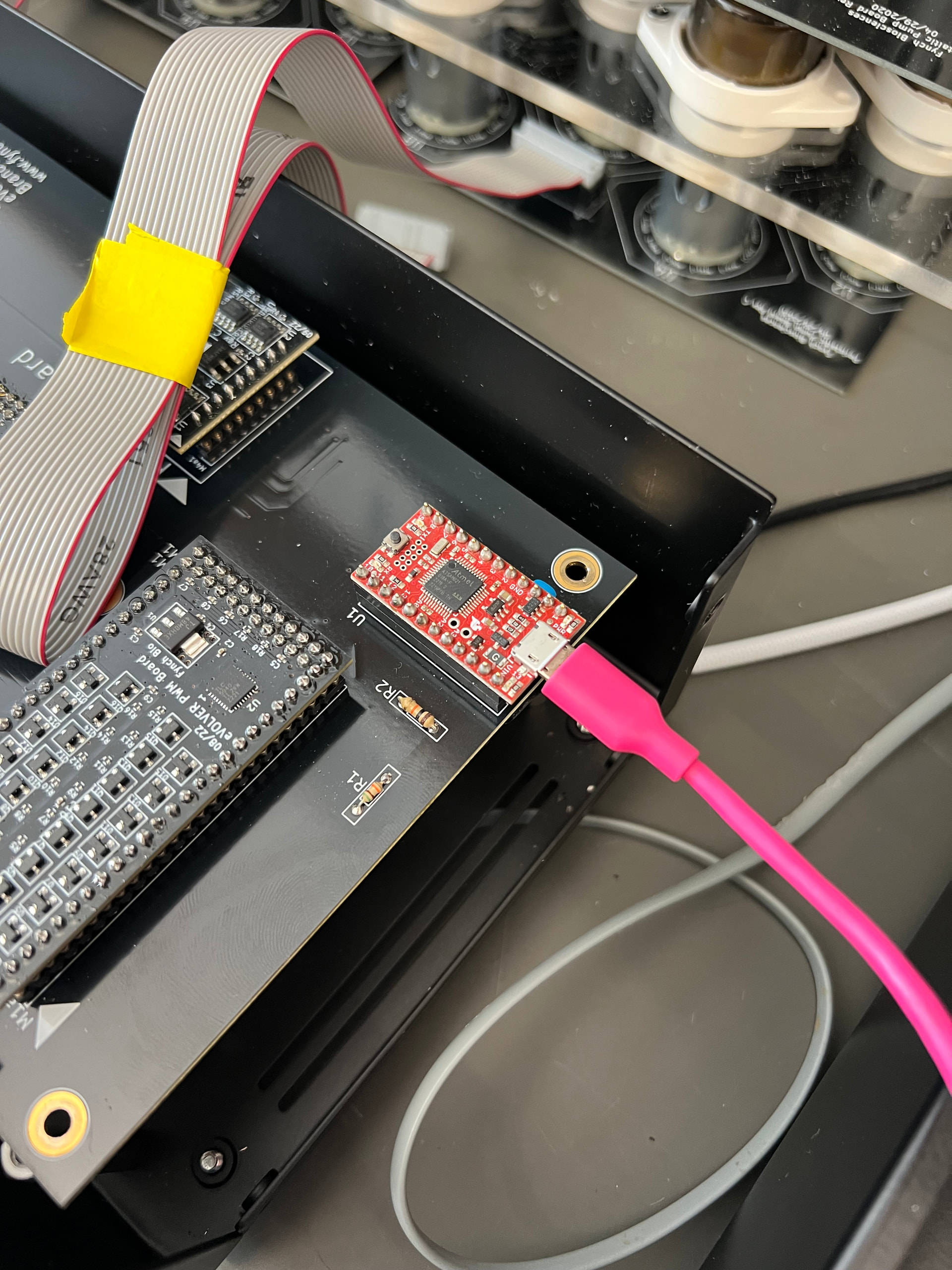
I successfully downloaded the arduino software and tried connecting to the micro-usbs of the Arduinos in the vial platform as well as the fluidics module. I attached pictures of the cable connections just to make sure they’re correct:

The arduino on the fluidics module did not seem to be on, i.e., there was no green light as shown in the 2nd picture, even when the fluidics module was switched on (and the fans were audibly spinning). I’m not sure if this could be related to the issue. Regardless, this is the output in the serial monitor of the Arduino I plugged into in the first picture (i.e. the vial platform) when I sent the same 5sec command to the IN1 pumps:

Thank you again for your time + response :slight_smile:

Hi does the Arduino power on when you plug in the microUSB? The rocker switch and the fan is for the 12V power. The 5V should come from the Raspberry Pi via the barrel connector. No lights flashing on the Arduino at all is weird if the power is going into the barrel connector (via the Pi)

Testing at the other Arduino on the Vial Platform doesn’t really tell us much, since we are worried about the serial connection to the Fluidics box.

Hi, no the Arduino on the fluidics module does not come on when I plug in the microUSB. I tried switching the USB end of the 5V supply cable across each of the 4 USB ports on the Pi, and none of them made the Arduino power on/show any lights flashing.

Ok that’s very informative. Can you (very very carefully) pull out the Arduino from the socket with everything powered off and then after it is taken off the fluidics board, try powering it again and connecting to the Serial Monitor via the microusb cable.

I tried unplugging the fluidics arduino and this is what happened: when the arduino was removed and I plugged in the microUSB, the red and blue lights turned on:

When I plugged the arduino back into the fluidics module, the red and blue lights turned off:

I tried connecting to the serial monitor when the arduino was unplugged (and powered on via microUSB) and nothing was printing:

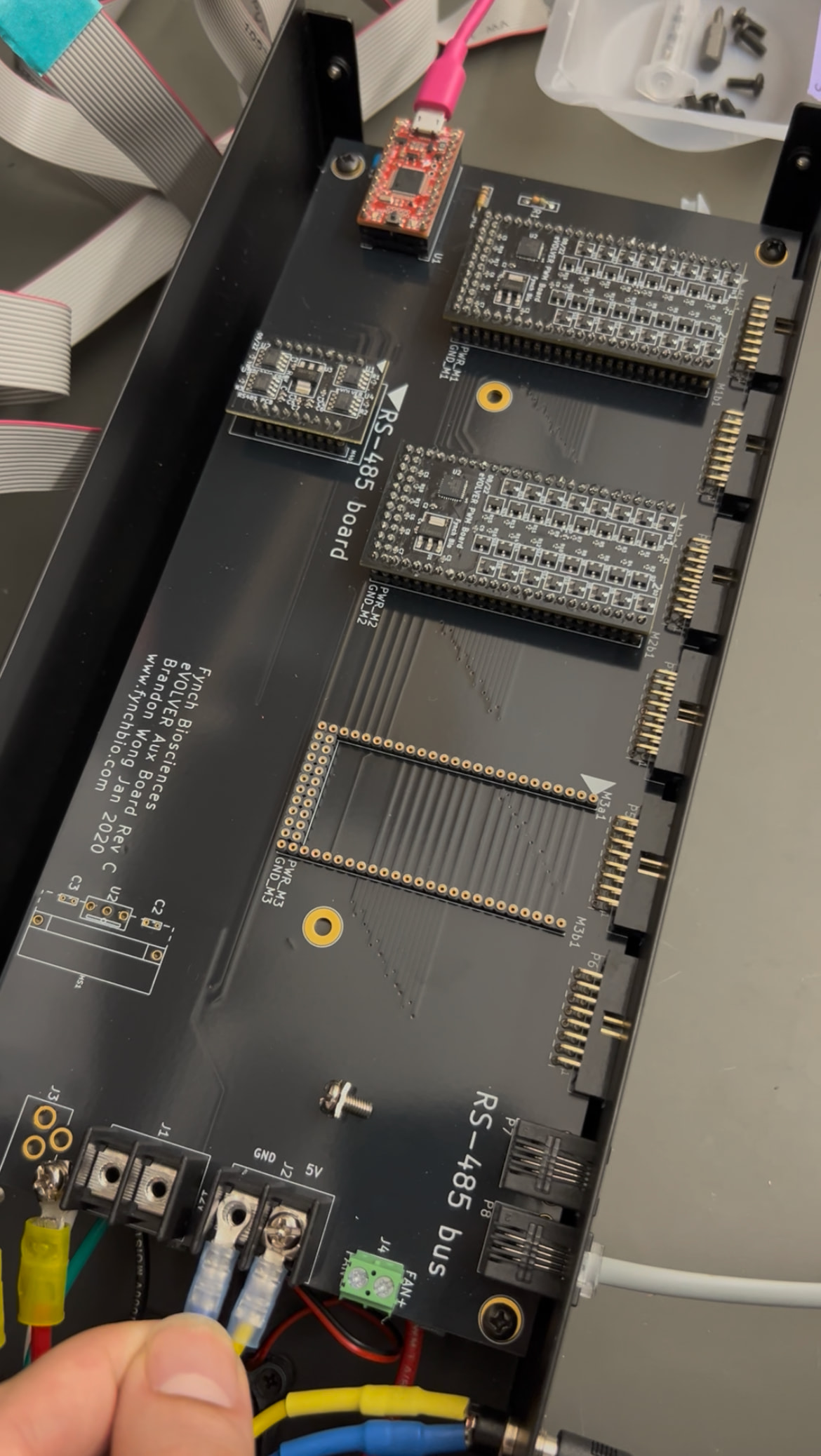
Ok can you now take off the entire fluidics board. There should be 4 screws and disconnect all wires coming to and from the board. Leave all the boards still plugged in (Arduino, PWM and RS485 boards). Now try powering the board again via the microusb. This will tell us if the board itself is shorted or is it the wires.

Just tried it! The Arduino appears to have turned on with all the board wires disconnected + when plugged into the microUSB:

Ok this tells us something is wrong with the wires. Can you screw back on each set of connections and tell me which one causes the Arduino not to turn on after powering via microusb

Hi again,

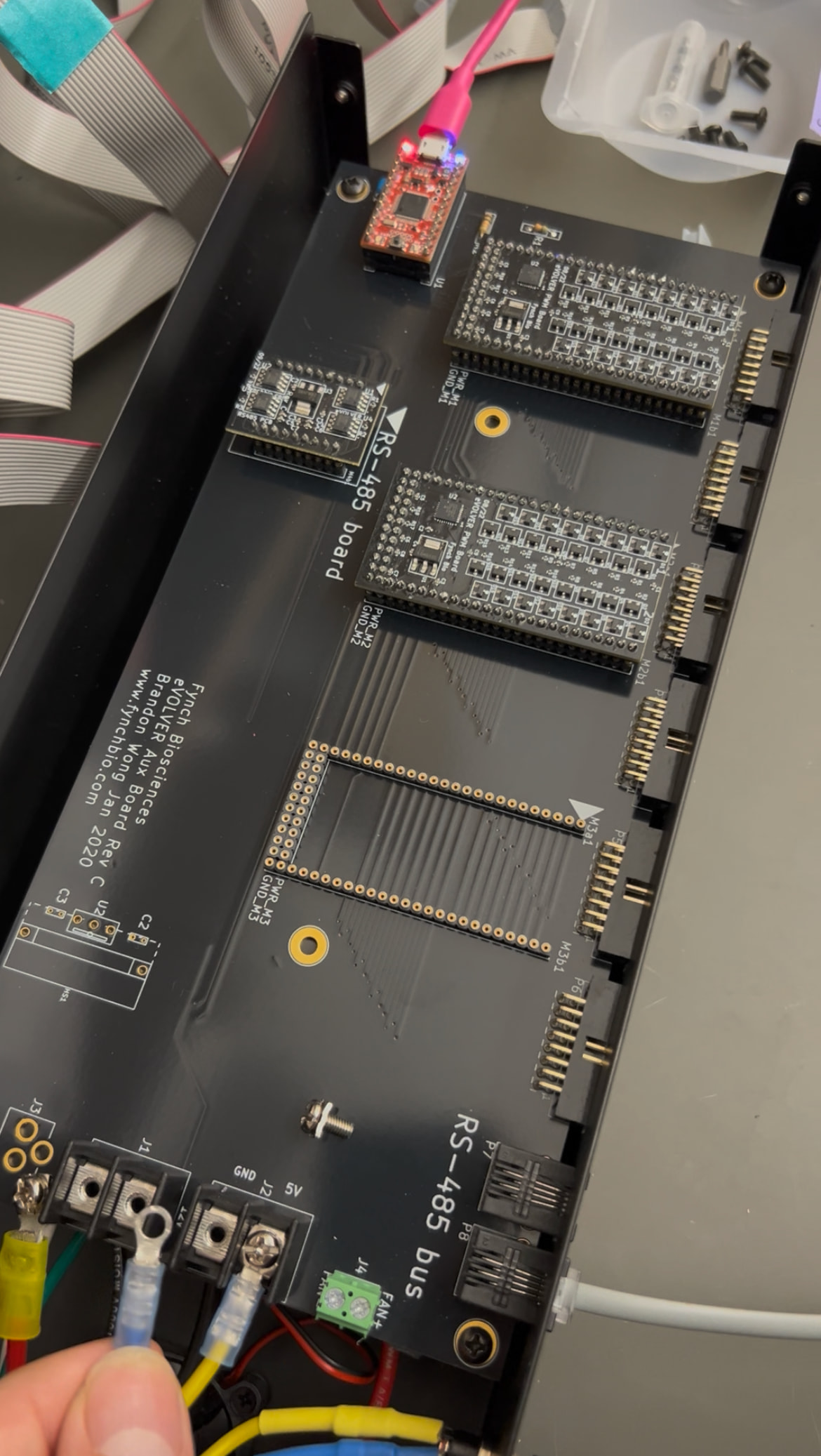
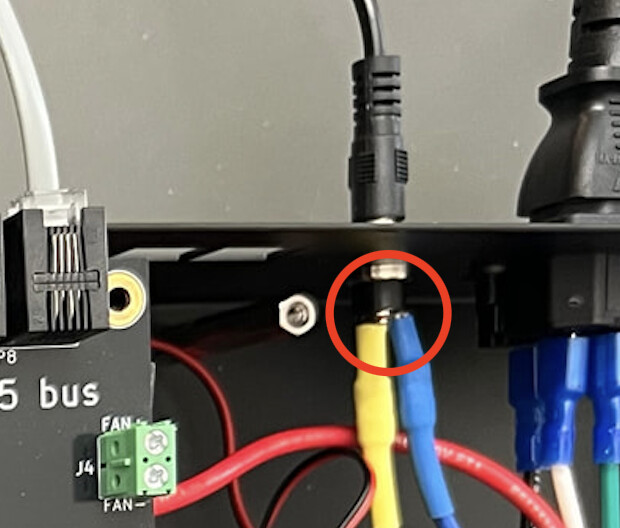
It appears that the only time the arduino switches off is when both the blue and yellow cables are screwed in:

The arduino still powers on when just one of those two cables (blue and yellow) is screwed in, but not both.

OK can you make sure that this part of the barrel are not touching each other and try again?