I had the same problem, and my screen looked identical to the screenshot on your other post (which is the same as the screen shot from Hannah_T, except that the second warning is now an error)
I opened pyproject.toml in TextEdit and replaced scipy = “^1.2.1” with scipy = “^1.11.1”. I re-ran poetry install. I then got a message to run poetry lock. Then I ran poetry install again. The output of the 3 commands was:
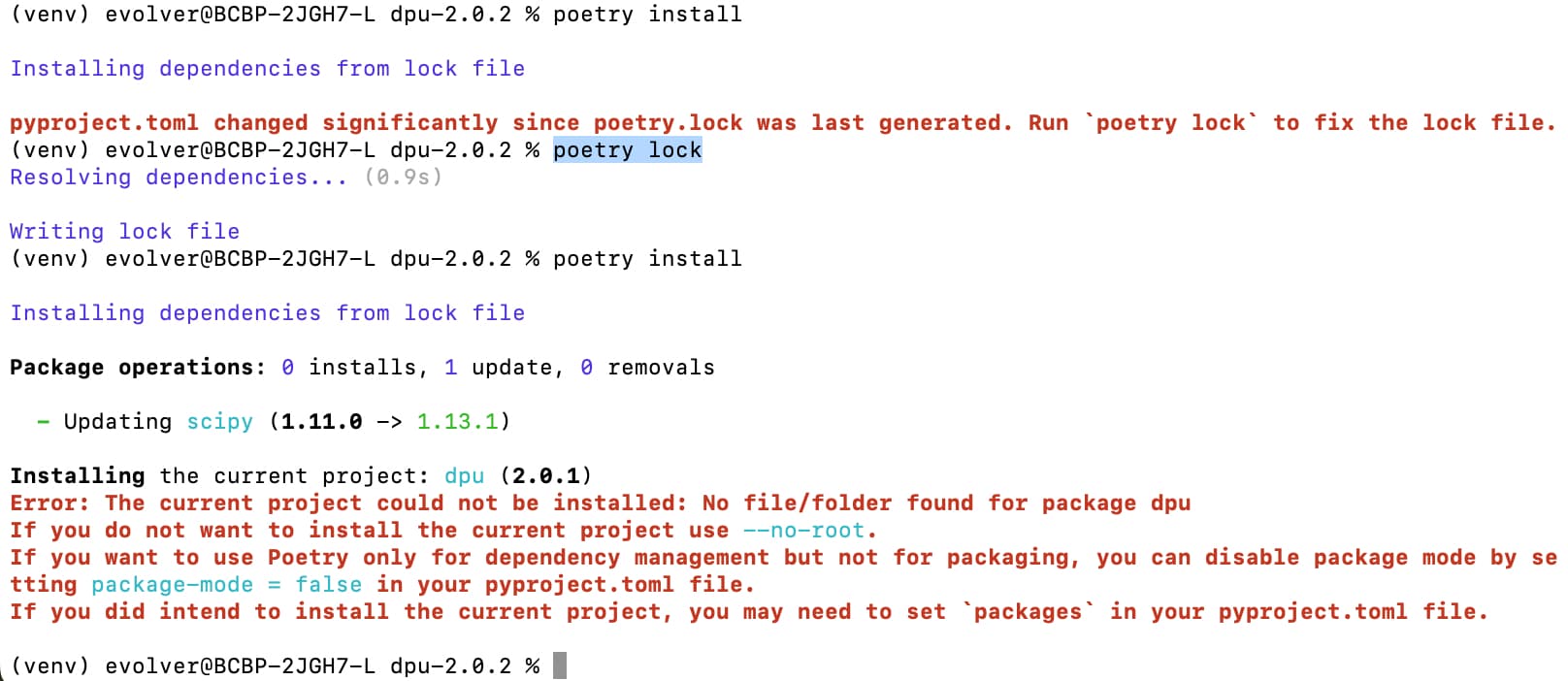
It looks like scipy is now installed. I don’t know whether the error is a problem, but it looks the same as the warning in the original post.
I have not proceeded past this point yet, so I don’t know of the problem is solved.
Good luck,
Margy